Turn Photo into Cartoon: 8 Best AI Tools to Cartoonify Your Photos (2026)
Discover the 8 best AI tools to turn your photos into cartoons. From Disney and Pixar styles to manga and comic book looks, learn how to cartoonify any photo with step-by-step instructions and ready-to-use prompts.
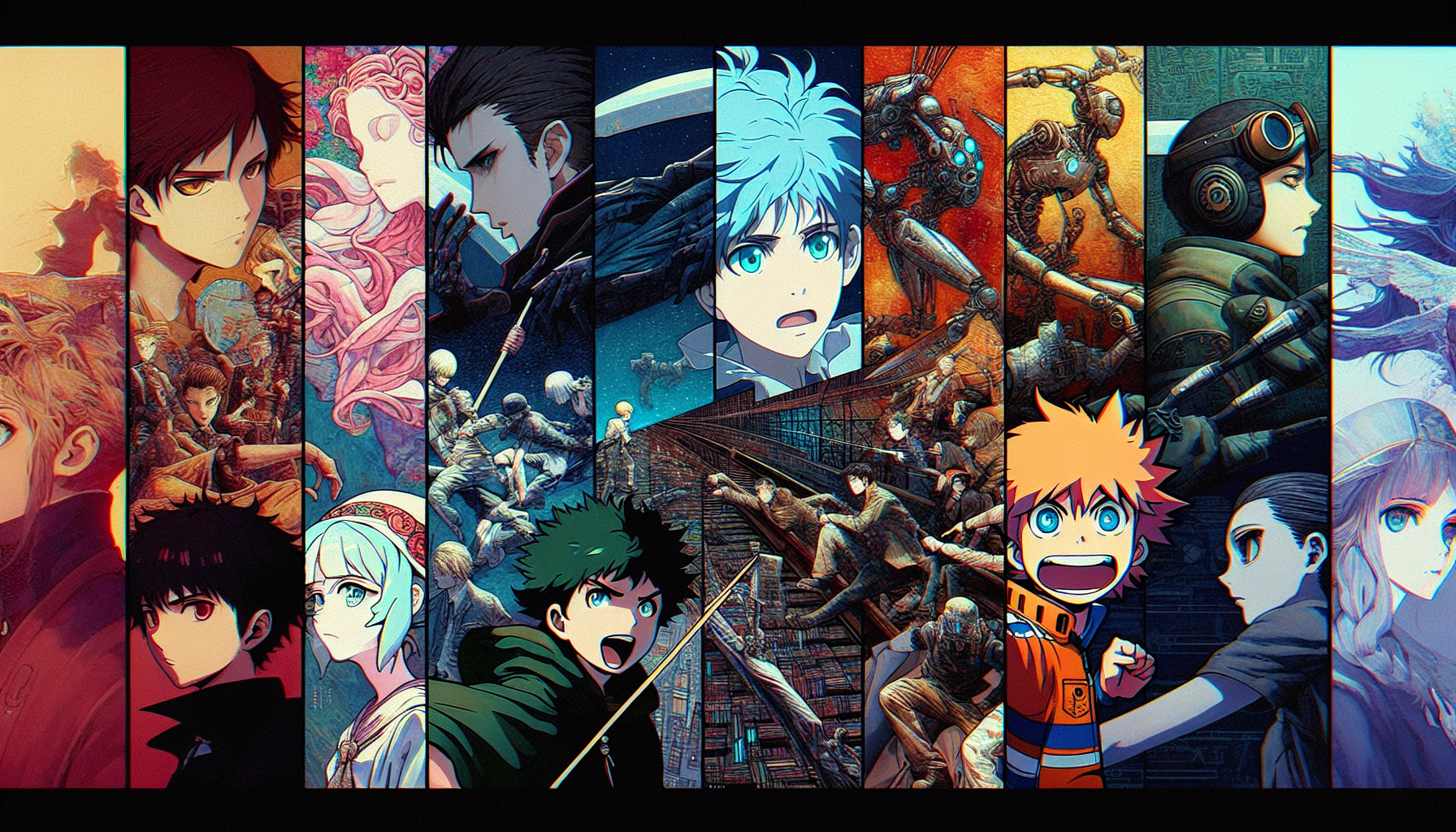
Turn Photo into Cartoon: 8 Best AI Tools to Cartoonify Your Photos (2026)
Want to turn your photo into a cartoon? Whether you are going for a Disney-style portrait, a Pixar-inspired 3D look, a manga transformation, or a classic comic book effect, AI tools now make it effortless. In this guide, we review the 8 best AI tools that can cartoonify your photos in seconds, share step-by-step instructions for each, and provide 10 ready-to-use prompts so you can get stunning cartoon versions of any image right away.
Turn your photo into a cartoon right now
AI2image uses DALL-E 3 to transform your photos into cartoon, anime, painting, and sketch styles. Get 3 free image generations when you sign up — no credit card required.
Why Turn Photos into Cartoons?
Turning a photo into a cartoon is one of the most popular AI art trends. People use cartoon versions of their photos for social media profile pictures, personalized gifts, YouTube and Twitch avatars, wedding caricatures, pet portraits, and marketing content. AI-powered style transfer has made what used to require a professional illustrator available to anyone in just a few clicks.
The best part? You can choose from a wide range of cartoon styles. Want a soft Disney princess look? A chunky Pixar 3D render? A sharp manga illustration? A vintage comic strip? AI handles them all — and most tools offer a free tier so you can try before you buy.
8 Best AI Tools to Turn Photos into Cartoons
Here is how the top photo-to-cartoon AI tools compare in 2026:
| Tool | Best For | Styles | Price | Quality |
|---|---|---|---|---|
| AI2image | All cartoon styles via prompts | Disney, Pixar, manga, comic, sketch | 3 free, then $5.99/10 | ⭐⭐⭐⭐⭐ |
| ToonMe | One-tap cartoon selfies | Disney, Pixar, vector, cartoon | Free with ads / $4.99 pro | ⭐⭐⭐⭐ |
| Voila AI | Renaissance & 3D cartoon | 3D cartoon, renaissance, caricature | Free tier / $7.99 pro | ⭐⭐⭐⭐ |
| ChatGPT (GPT-4o) | Conversational style control | Any style via prompt | $20/month | ⭐⭐⭐⭐⭐ |
| Prisma | Artistic photo filters | Oil painting, pop art, sketch | Free tier / $7.99/mo | ⭐⭐⭐⭐ |
| Picsart | All-in-one editing + cartoon | Cartoon, comic, sketch, sticker | Free tier / $11.99/mo | ⭐⭐⭐⭐ |
| Stable Diffusion | Advanced users, custom models | Unlimited via LoRA models | Free (self-hosted) | ⭐⭐⭐⭐⭐ |
| BeFunky | Browser-based, no install | Cartoonizer, oil painting, sketch | Free tier / $9.99/mo | ⭐⭐⭐ |
Step-by-Step: How to Cartoonify Your Photo with Each Tool
1. AI2image — Best Overall for Prompt-Based Cartoon Styles
AI2image uses DALL-E 3 to transform your photo into any cartoon style you can describe. Because it is prompt-based, you have complete control over the output style.
- Go to ai2image.com and sign up for free.
- Upload your reference photo or describe the subject in detail.
- Write a prompt specifying the cartoon style, e.g.,
"Transform this portrait into a Disney Pixar 3D cartoon character, soft lighting, vibrant colors". - Click Generate and download your cartoon image in seconds.
Best for: Users who want full creative control over the cartoon style and output quality.
2. ToonMe — Best for Quick Selfie Cartoons
ToonMe is a mobile app that specializes in turning selfies into cartoon portraits with a single tap. It offers pre-built filters inspired by Disney, Pixar, and vector art styles.
- Download ToonMe from the App Store or Google Play.
- Take a selfie or upload a photo from your gallery.
- Browse the filter library and tap a cartoon style you like.
- Wait a few seconds for the AI to process, then save or share.
Best for: Casual users who want instant cartoon selfies without writing prompts.
3. Voila AI — Best for 3D Cartoon and Renaissance Styles
Voila AI Artist stands out with its 3D cartoon style that gives photos a polished Pixar-like quality, as well as a unique renaissance painting filter.
- Download Voila AI Artist from your app store.
- Upload your photo and choose from 3D Cartoon, Renaissance, or Caricature.
- The AI processes in about 10 seconds and presents the result.
- Save the image or share it directly to social media.
Best for: Users who love the 3D cartoon look or want a fun renaissance-style portrait.
4. ChatGPT (GPT-4o) — Best for Iterative Style Refinement
ChatGPT with GPT-4o can generate and modify cartoon versions of your photos through natural conversation. You can upload a photo and ask it to cartoonify it, then refine the result with follow-up instructions.
- Open ChatGPT and upload your photo in the message box.
- Type a request like
"Turn this photo into a Pixar-style 3D cartoon character". - Review the result and refine:
"Make the eyes bigger and add a sunset background". - Download the final image when you are satisfied.
Best for: Users who want to iterate on the cartoon style through conversation.
5. Prisma — Best for Artistic Painting Effects
Prisma applies artistic filters inspired by famous painting styles. While not strictly "cartoon," it excels at turning photos into oil paintings, pop art, and sketch-style images.
- Download Prisma and open the app.
- Select a photo from your camera roll.
- Swipe through filters — try "Cartoon", "Pop Art", "Mosaic", or "Sketch".
- Adjust the intensity slider and save.
Best for: Users who want painterly or pop art effects rather than strict cartoon styles.
6. Picsart — Best All-in-One Editor with Cartoon Effects
Picsart combines a full photo editor with AI-powered cartoon and sketch effects. You can cartoonify a photo and then continue editing with stickers, text, and overlays.
- Open Picsart and import your photo.
- Navigate to Effects and select "Sketch" or "Cartoon" from the AI effects section.
- Choose a sub-style (comic, ink sketch, color cartoon) and adjust strength.
- Continue editing or export directly.
Best for: Users who want cartoon effects as part of a broader editing workflow.
7. Stable Diffusion — Best for Advanced Customization
Stable Diffusion with img2img mode is the most powerful option for turning photos into cartoons. Using ControlNet and custom LoRA models, you can achieve virtually any cartoon style with fine-grained control.
- Install Stable Diffusion via AUTOMATIC1111 or ComfyUI.
- Load a cartoon LoRA model (e.g., Disney Style, Anime Lineart, Comic Book).
- Use img2img mode and upload your photo as the input.
- Set denoising strength to 0.5-0.7 for a balance between resemblance and stylization.
- Add ControlNet (Canny or Lineart) to preserve facial features and pose.
Best for: Technical users who want maximum control and unlimited free generations.
8. BeFunky — Best Browser-Based Cartoonizer
BeFunky offers a simple browser-based cartoonizer that requires no downloads or signups. Upload a photo, apply the cartoon effect, and download — all from your browser.
- Visit befunky.com and click "Photo Editor".
- Upload your photo.
- Go to Effects, then Artsy, and select "Cartoonizer".
- Adjust the detail and intensity sliders, then download.
Best for: Users who want a quick cartoon effect without installing anything.
Ready to cartoonify your photo?
AI2image gives you full creative control with DALL-E 3. Try it free — no credit card needed.
Turn Your Photo into a Cartoon →Cartoon Styles Guide: Which Look Should You Choose?
Not all cartoon styles are the same. Here is a breakdown of the most popular styles and when to use each one:
Disney / Princess Style
Large expressive eyes, smooth skin, flowing hair, soft pastel lighting. This style is beloved for portrait transformations, especially for women and children. It creates a warm, magical, fairy-tale aesthetic.
Prompt keyword: "Disney animation style, soft lighting, expressive eyes, fairy-tale aesthetic"
Pixar / 3D Cartoon Style
Slightly exaggerated proportions, smooth 3D rendering, vibrant colors, and cinematic lighting. This is the most viral style on social media — think "Pixar version of me" posts. Works great for any age or gender.
Prompt keyword: "Pixar 3D cartoon character, vibrant colors, cinematic lighting, smooth render"
Manga / Anime Style
Distinctive large eyes, small nose and mouth, dynamic hair, clean linework. Popular for anime fans, profile pictures, and VTuber-style avatars. You can go for soft shojo, edgy seinen, or chibi depending on your preference.
Prompt keyword: "Anime manga style portrait, clean linework, large expressive eyes, vibrant hair"
Comic Book Style
Bold outlines, flat colors, halftone dots, dramatic shadows. Think Marvel or DC comics. This style adds a heroic, dynamic quality to portraits and works especially well for action poses.
Prompt keyword: "Comic book style, bold outlines, halftone dots, flat colors, dramatic shadows"
Caricature Style
Exaggerated facial features, oversized head, humorous proportions. Great for gifts, party invitations, and social media fun. AI caricature tools amplify distinctive features like noses, chins, and smiles.
Prompt keyword: "Caricature style, exaggerated features, humorous proportions, colorful background"
10 Prompts to Turn Photos into Cartoons
Copy and paste these prompts into AI2image or ChatGPT to cartoonify your photos instantly:
Transform this portrait into a Disney Pixar 3D cartoon character with large expressive eyes, soft lighting, vibrant colors, and a cheerful smileTurn this photo into a Japanese anime illustration, clean linework, large eyes, colorful hair highlights, soft pastel backgroundConvert this selfie into a Marvel comic book hero portrait, bold outlines, halftone shading, dramatic lighting, heroic poseCartoonify this photo in a classic Disney princess style, flowing hair, magical sparkles, fairy-tale forest backgroundTurn this pet photo into a cute cartoon illustration, big round eyes, fluffy exaggerated fur, pastel colors, kawaii styleTransform this family photo into a Pixar movie poster style, 3D rendered characters, cinematic lighting, warm color paletteConvert this portrait into a fun caricature with exaggerated facial features, oversized head, colorful background, humorous styleTurn this landscape photo into a Studio Ghibli anime scene, watercolor textures, soft clouds, warm golden light, dreamy atmosphereTransform this photo into a retro pop art cartoon, Andy Warhol inspired, bold flat colors, four-panel layout, high contrastConvert this photo into a hand-drawn pencil sketch cartoon, detailed crosshatching, white paper background, realistic proportions
Beyond Cartoons: Turn Photos into Paintings, Anime, and Sketches
While cartoonifying is the most popular request, AI tools can transform your photos into many other artistic styles too. Here are related transformations you can try:
Turn Photo into Painting
AI can convert photos into oil paintings, watercolors, impressionist works, and more. Tools like AI2image and Prisma excel at this. Use prompts like "Transform this photo into an oil painting in the style of Monet, visible brushstrokes, warm afternoon light, impressionist". Painting transformations work beautifully for landscapes, portraits, and still life photos.
Turn Photo into Anime
Anime conversion is one of the most requested AI art styles. For best results, use a prompt that specifies the anime sub-style: shojo for soft romantic aesthetics, shonen for action-oriented looks, or chibi for cute miniature versions. Try: "Turn this photo into a detailed anime illustration, shonen style, dynamic lighting, vibrant colors, Studio Ghibli quality".
Turn Photo into Sketch
Pencil sketch and ink drawing transformations create elegant, minimalist versions of your photos. These work exceptionally well for portraits and architecture. Use: "Convert this photo into a detailed pencil sketch, realistic proportions, fine crosshatching, white paper background". BeFunky and Picsart both have dedicated sketch filters for quick results.
Frequently Asked Questions
What is the best free tool to turn a photo into a cartoon?
AI2image offers 3 free cartoon generations using DALL-E 3 with no credit card required. For unlimited free use, BeFunky provides a browser-based cartoonizer, and Stable Diffusion is completely free if you run it locally on your own hardware. ToonMe also has a free tier with ads for quick selfie cartoons.
Can I turn a photo into a cartoon without an app?
Yes. AI2image and BeFunky both work entirely in your web browser with no app download needed. Simply visit the website, upload your photo, and apply a cartoon style. ChatGPT also works in the browser and can cartoonify photos through conversation.
Which cartoon style is most popular on social media?
The Pixar 3D cartoon style is currently the most viral style on social media. The "Pixar version of me" trend has generated millions of posts. Disney princess style and anime transformations are close seconds. For humor, caricature-style cartoons tend to get high engagement.
Will the cartoon version look like me?
It depends on the tool and style. AI tools like ChatGPT (GPT-4o) and Stable Diffusion with ControlNet preserve strong facial resemblance. ToonMe and Voila AI also maintain recognizable features. More stylized options like manga or caricature will exaggerate features while keeping the overall likeness. For best results, use a clear, well-lit front-facing photo.
Can I use a cartoonified photo commercially?
Most AI tools allow commercial use of generated images, but terms vary. AI2image and DALL-E 3 allow commercial use of outputs. Stable Diffusion outputs are unrestricted. However, if your cartoon is based on someone else's photo, you still need their consent for commercial use. Always check the specific terms of service for each tool before using outputs commercially.
Turn Any Photo into a Cartoon in Seconds
3 free generations. No credit card. Disney, Pixar, anime, comic, and more.
Try AI2image Free →Try this prompt:
Transform this portrait into a Disney Pixar 3D cartoon character with large expressive eyes, soft lighting, vibrant colors
Try this prompt:
Turn this photo into a Japanese anime illustration, clean linework, large eyes, colorful hair highlights, soft pastel background
Try this prompt:
Convert this selfie into a Marvel comic book hero portrait, bold outlines, halftone shading, dramatic lighting
Try this prompt:
Turn this landscape photo into a Studio Ghibli anime scene, watercolor textures, soft clouds, warm golden light