AI Wallpaper Generator: Create Custom 4K Wallpapers with AI (2026)
Learn how to create custom 4K wallpapers using AI. Discover the best AI wallpaper generators, get 20 copy-paste prompts across 7 categories, and master resolution settings for phone, desktop, and ultrawide monitors.
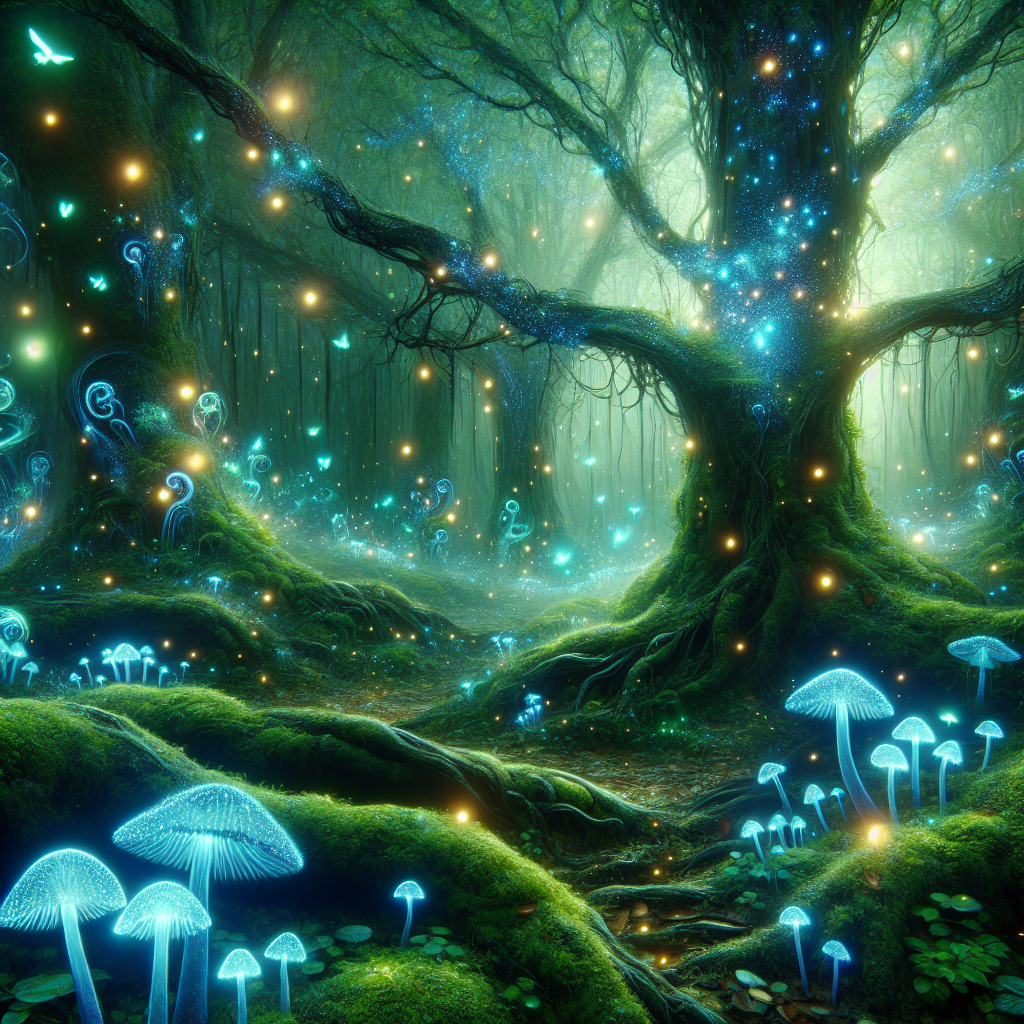
AI Wallpaper Generator: Create Custom 4K Wallpapers with AI
Tired of scrolling through thousands of generic wallpapers that everyone else has? With an AI wallpaper generator, you can create completely unique, custom wallpapers tailored to your exact taste — in any resolution, any style, and any mood. Whether you want a serene nature landscape for your desktop, a cyberpunk cityscape for your phone, or a minimal abstract pattern for your ultrawide monitor, AI makes it possible in seconds. In this guide, we cover the best AI wallpaper tools, share 20 proven prompts, and walk you through resolution settings for every screen size.
Create your first AI wallpaper right now
AI2image uses DALL-E 3 to generate wallpaper-quality images directly in your browser. Get 3 free image generations when you sign up — no credit card required.
What Is an AI Wallpaper Generator?
An AI wallpaper generator is a tool that uses artificial intelligence models — such as DALL-E 3, Stable Diffusion, or Midjourney — to create high-resolution images specifically designed for use as device wallpapers. You describe what you want in a text prompt, choose your target resolution, and the AI produces a unique image you can set as your background immediately.
Unlike traditional wallpaper sites where you browse a fixed library, an AI wallpaper maker gives you infinite creative freedom. Want a dark moody forest with bioluminescent mushrooms at exactly 3840x2160? A pastel geometric pattern in 1440x3200 for your phone? An anime-style sunset cityscape spanning 5120x1440 for your ultrawide? Just describe it, and the AI creates it.
Why Use AI to Create Wallpapers?
Here are the key advantages of using AI to generate your wallpapers instead of downloading generic ones:
- Completely unique: Every wallpaper is one-of-a-kind. No one else will have the same background as you.
- Any style imaginable: Nature, abstract, anime, cyberpunk, minimal, dark, fantasy — if you can describe it, AI can create it.
- Perfect resolution: Generate images at the exact resolution your device needs instead of stretching or cropping.
- Instant creation: Get a new wallpaper in 10-30 seconds instead of browsing for hours.
- Seasonal rotation: Easily create themed wallpapers for seasons, holidays, or mood changes.
- No design skills needed: You just write a text description. The AI handles all the artistic work.
Best AI Wallpaper Generators in 2026
Here is how the top tools for creating AI wallpapers compare:
| Tool | Model | Max Resolution | Best For | Price | Wallpaper Quality |
|---|---|---|---|---|---|
| AI2image | DALL-E 3 | 1792x1024 | Quick wallpaper generation, prompt library | 3 free, then $5.99/10 | ⭐⭐⭐⭐⭐ |
| Midjourney | MJ v6 | 2048x2048 (upscale to 4K) | Artistic, stylized wallpapers | $10/month | ⭐⭐⭐⭐⭐ |
| ChatGPT (GPT-4o) | Native | Varies | Conversational refinement | $20/month | ⭐⭐⭐⭐⭐ |
| Stable Diffusion | SDXL / SD3 | Any (custom) | Custom resolutions, batch generation | Free (self-hosted) | ⭐⭐⭐⭐ |
| Leonardo.ai | Phoenix / Custom | 2048x2048 | Free daily tokens, wallpaper presets | 150 free tokens/day | ⭐⭐⭐⭐ |
| Adobe Firefly | Firefly 3 | 2048x2048 | Commercial-safe wallpapers | Included in CC | ⭐⭐⭐⭐ |
How to Create AI Wallpapers (Step-by-Step)
Step 1: Choose Your Resolution
Before generating, decide what device the wallpaper is for. This determines the aspect ratio and resolution you need. See the resolution guide below for exact dimensions.
Step 2: Write a Wallpaper-Optimized Prompt
Wallpaper prompts differ from regular image prompts. Good wallpaper prompts should:
- Avoid centered subjects: Wallpapers work best with scenes and patterns rather than a single centered object (icons and clocks will cover it)
- Emphasize atmosphere: Mood, lighting, and color palette matter more than specific details
- Include resolution keywords: Add "4K", "high resolution", "detailed" to push quality
- Consider icon placement: Leave some negative space or use patterns that work behind app icons
Example wallpaper prompt:
Vast mountain landscape at golden hour, layers of misty peaks fading into the distance, warm amber and purple gradient sky, no text, no people, cinematic composition, 4K wallpaper, ultra detailed
Step 3: Generate, Upscale, and Set
After generating your base image:
- Review the composition — does it work with your device layout?
- If needed, upscale using tools like Real-ESRGAN or Topaz Gigapixel for true 4K quality
- Adjust brightness if needed — slightly darker wallpapers improve icon readability
- Save and set as your wallpaper
Wallpaper Resolution Guide: Phone vs Desktop vs Ultrawide
Getting the right resolution is crucial for sharp wallpapers. Here are the exact dimensions to target for every common screen type:
| Device | Resolution | Aspect Ratio | AI Prompt Tip |
|---|---|---|---|
| iPhone 15 / 16 | 1290x2796 | 9:19.5 | Use portrait orientation, vertical composition |
| Android Flagship | 1440x3200 | 9:20 | Use portrait orientation, tall vertical scenes |
| iPad / Tablet | 2048x2732 | 3:4 | Works in both orientations, balanced composition |
| Full HD Desktop | 1920x1080 | 16:9 | Standard landscape, most prompts work well |
| 4K Desktop | 3840x2160 | 16:9 | Add "4K, ultra detailed" to prompt, upscale if needed |
| QHD Desktop | 2560x1440 | 16:9 | Add "high resolution, sharp detail" to prompt |
| Ultrawide | 3440x1440 | 21:9 | Panoramic scenes, wide landscapes, cityscapes |
| Super Ultrawide | 5120x1440 | 32:9 | Extra-wide panoramas, stitch two images if needed |
Pro tip: Most AI generators output at 1024x1024 or similar. For true 4K wallpapers, generate at the highest available resolution, then upscale using AI upscalers like Real-ESRGAN (free), Topaz Gigapixel, or the built-in upscalers in Midjourney and Leonardo.ai.
20 Best AI Wallpaper Prompts
Copy and paste these prompts to generate stunning wallpapers instantly. Each prompt is optimized for wallpaper use with proper composition, atmosphere, and detail.
Nature Wallpapers
Vast mountain range at sunrise, golden light illuminating snow-capped peaks, mist in the valley below, aerial perspective, no text, 4K wallpaper, ultra detailed landscape photographyAutumn forest path with red and orange maple trees, soft morning light filtering through canopy, fallen leaves on the ground, peaceful atmosphere, 4K nature wallpaperTropical ocean waves crashing on volcanic black sand beach, dramatic cloudy sky, long exposure water effect, turquoise and dark contrast, cinematic landscape, 4K
Abstract Wallpapers
Fluid abstract art with deep navy blue and liquid gold swirls, marble texture, elegant flowing patterns, dark luxury aesthetic, seamless wallpaper, 4K high resolutionGeometric low-poly landscape in gradient sunset colors, triangular mesh terrain, pink to purple to dark blue gradient sky, modern digital art, 4K wallpaperMacro photography of iridescent soap bubbles, rainbow light refractions on dark background, abstract colorful patterns, ultra detailed, 4K wallpaper
Anime Wallpapers
Anime style rooftop scene overlooking a neon-lit city at night, girl with headphones sitting on edge, lo-fi aesthetic, warm streetlights, stars visible, detailed anime art, 4KStudio Ghibli inspired peaceful countryside, rolling green hills with wildflowers, fluffy cumulus clouds, small cottage in the distance, warm afternoon light, anime landscape, 4KCherry blossom trees along a Japanese river at twilight, soft pink petals floating in the wind, traditional wooden bridge, anime watercolor style, dreamy atmosphere, 4K wallpaper
Minimal Wallpapers
Single mountain silhouette against gradient sky, deep navy to soft peach transition, extremely minimal, no clouds, no detail, clean and simple, dark minimal wallpaper, 4KConcentric circles in muted earth tones on dark charcoal background, subtle texture, geometric minimalism, Bauhaus inspired, clean wallpaper, 4KLone tree on a horizon line, fog everywhere, monochrome black and white, vast empty space, zen minimalism, fine art photography style, 4K wallpaper
Dark Wallpapers
Dark moody forest at night with bioluminescent mushrooms glowing blue and purple, fog creeping between ancient trees, mysterious atmosphere, dark fantasy, 4K wallpaperBlack marble texture with thin golden veins running through it, luxury dark aesthetic, subtle reflective surface, high-end material close-up, 4K dark wallpaperRainy window at night with blurred city lights bokeh behind the glass, water droplets on the surface, moody dark blue tones, cinematic, AMOLED dark wallpaper, 4K
Space Wallpapers
Deep space nebula in purple and teal colors, millions of stars, cosmic dust clouds, Hubble telescope style, dark background, ultra detailed space wallpaper, 4KAstronaut floating above Earth at night, city lights visible below, Milky Way galaxy in the background, realistic space photography, cinematic lighting, 4K wallpaper
Cyberpunk Wallpapers
Cyberpunk alleyway at night, neon signs in Japanese and English, rain-soaked reflective streets, pink and blue neon glow, steam rising from vents, Blade Runner atmosphere, 4K wallpaperFuturistic cyberpunk cityscape from above, flying cars with light trails, massive holographic advertisements, dark sky with orange pollution glow, ultra detailed, 4KCyberpunk motorcycle parked under a neon-lit overpass, chrome reflections, rain puddles on the ground, magenta and cyan color palette, cinematic composition, 4K wallpaper
Tips for Perfect AI Wallpapers
The Wallpaper Prompt Formula
Use this structure to consistently generate wallpaper-quality images:
[Scene/Subject] + [Atmosphere/Mood] + [Color palette] + [Composition note] + [Quality: "4K wallpaper, ultra detailed"]
Example:
Northern lights over a frozen lake [scene] serene and ethereal mood [atmosphere] green and purple aurora against dark sky [colors] wide panoramic view, no foreground distractions [composition] 4K wallpaper, ultra detailed, high resolution [quality]
Tip: Always add "no text, no watermark, no logo" to your wallpaper prompts. AI models sometimes add unwanted text elements that ruin wallpapers.
Tip: For AMOLED phone screens, include "AMOLED black background" or "true black background" in your prompt. Pure black pixels save battery on OLED screens and look incredible.
Tip: Generate multiple variations of the same prompt. Even small wording changes produce very different results. Create 3-5 versions and pick the best one.
Tip: For lock screen wallpapers specifically, keep the upper third relatively simple and dark. This ensures your clock, date, and notifications remain readable.
How to Upscale AI Wallpapers to True 4K
Most AI generators output at 1024x1024 or 1792x1024. To get true 4K (3840x2160) wallpapers, you need to upscale:
Free Upscaling Options
- Real-ESRGAN: Free and open-source AI upscaler. Available as a web app or local install. Best free option for 4x upscaling with minimal quality loss.
- Upscayl: Free desktop app built on Real-ESRGAN. Simple drag-and-drop interface for Mac, Windows, and Linux.
- Bigjpg: Free web-based upscaler. Good for anime-style wallpapers specifically.
Paid Upscaling Options
- Topaz Gigapixel AI: Industry-leading upscaler with the best detail preservation. One-time purchase.
- Midjourney built-in: Use the upscale buttons directly within Midjourney for seamless workflow.
- Magnific AI: Premium upscaler that can add new detail during upscaling. Subscription-based.
Create Your Custom AI Wallpaper Now
Use any of the 20 prompts above with AI2image. 3 free generations, no credit card needed.
Try AI2image Free →AI Wallpaper Ideas by Use Case
Not sure what kind of wallpaper to create? Here are ideas organized by how you will use them:
- Work laptop: Minimal, dark, or nature wallpapers that are not distracting. Muted color palettes with clean compositions.
- Gaming desktop: Cyberpunk, space, or dark fantasy wallpapers. Bold colors and dramatic lighting to match RGB setups.
- Phone lock screen: Vertical compositions with simple upper areas for clock visibility. Abstract or dark themes work best.
- Phone home screen: Darker wallpapers with subtle patterns so app icons remain legible. Avoid busy scenes.
- Ultrawide monitor: Panoramic landscapes, wide cityscapes, or abstract gradient patterns that span the full width.
- Dual monitor: Generate one extra-wide image or create two complementary wallpapers with matching color palettes.
- Tablet: Works in both orientations, so choose balanced compositions. Nature and art styles work especially well.
Frequently Asked Questions
What is the best free AI wallpaper generator?
AI2image is an excellent free option that offers 3 free DALL-E 3 generations with no credit card required — enough to create several high-quality wallpapers. For unlimited free wallpaper generation, Stable Diffusion is the best choice if you have a computer with a dedicated GPU. Leonardo.ai also offers 150 free tokens daily, which can produce multiple wallpapers.
Can AI generate true 4K wallpapers?
Most AI models generate images at 1024x1024 or up to 1792x1024 natively, which is below 4K resolution (3840x2160). However, you can achieve true 4K by using AI upscalers like Real-ESRGAN (free) or Topaz Gigapixel AI (paid) to upscale the generated image with minimal quality loss. Midjourney also offers built-in upscaling to higher resolutions.
What resolution should I use for phone wallpapers vs desktop wallpapers?
For modern phones, target 1290x2796 (iPhone) or 1440x3200 (Android flagship) in portrait orientation. For desktop wallpapers, use 1920x1080 (Full HD), 2560x1440 (QHD), or 3840x2160 (4K) in landscape. For ultrawide monitors, use 3440x1440 (21:9) or 5120x1440 (32:9). Always generate at the highest resolution available and upscale if needed.
How do I make AI wallpapers look good on AMOLED screens?
For AMOLED screens, include "AMOLED black background" or "true black background" in your prompt. AMOLED displays turn off individual pixels for pure black, saving battery and creating stunning contrast. Dark themes with selective bright elements — like neon lights on a black background or stars in deep space — look particularly striking on AMOLED screens.
Can I use AI-generated wallpapers commercially or share them?
For personal use as your own device wallpaper, there are no restrictions with any major AI tool. For commercial use — such as selling wallpaper packs or using them in products — check each tool's terms. DALL-E 3 (used by AI2image) and Midjourney (on paid plans) both allow commercial use of generated images. Stable Diffusion outputs are unrestricted since it is open source.
Start Creating Unique AI Wallpapers Today
Pick any prompt from this guide and generate your custom wallpaper in seconds. 3 free generations, no credit card.
Generate Your Wallpaper Free →Try this prompt:
Vast mountain range at sunrise, golden light illuminating snow-capped peaks, mist in the valley below, 4K wallpaper, ultra detailed
Try this prompt:
Cyberpunk alleyway at night, neon signs, rain-soaked reflective streets, pink and blue neon glow, Blade Runner atmosphere, 4K wallpaper
Try this prompt:
Deep space nebula in purple and teal, millions of stars, cosmic dust clouds, Hubble telescope style, 4K wallpaper